
Adding an automatic ellipsis to some text if it overflows its content is simple enough. You just set overflow: hidden to make sure the container doesn't scroll, and then text-overflow: ellipsis to add the ellipsis to the edge of the text.
.example {
	text-overflow: ellipsis;
	overflow: hidden;
}
But what if you want your text to have multiple lines, but still cut off if it's too big? For example, you want to show the excerpt of a blog post on a blog post card (just like the ones on this blog). You want it to go up to 4 lines, but if the excerpt is bigger than that, you want to add the ellipsis at the end of the 4th line.
Turns out there's a neat little trick, using some -webkit prefixed properties. Don't worry, it works on all modern browsers, including Firefox and Safari.
.example {
	text-overflow: ellipsis;
	overflow: hidden;
	display: -webkit-box;
	/* Set this to the max number of lines you want */
	-webkit-line-clamp: 4;
	-webkit-box-orient: vertical;
}
Here's how it looks like:
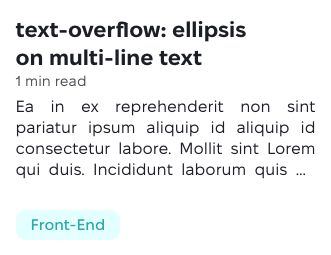
Taken from this StackOverflow answer.
Did this blog post change your life? Or maybe I made a mistake that ruined your day? You can always send me an email to tell me about it.